Productivity through my knowledge graph
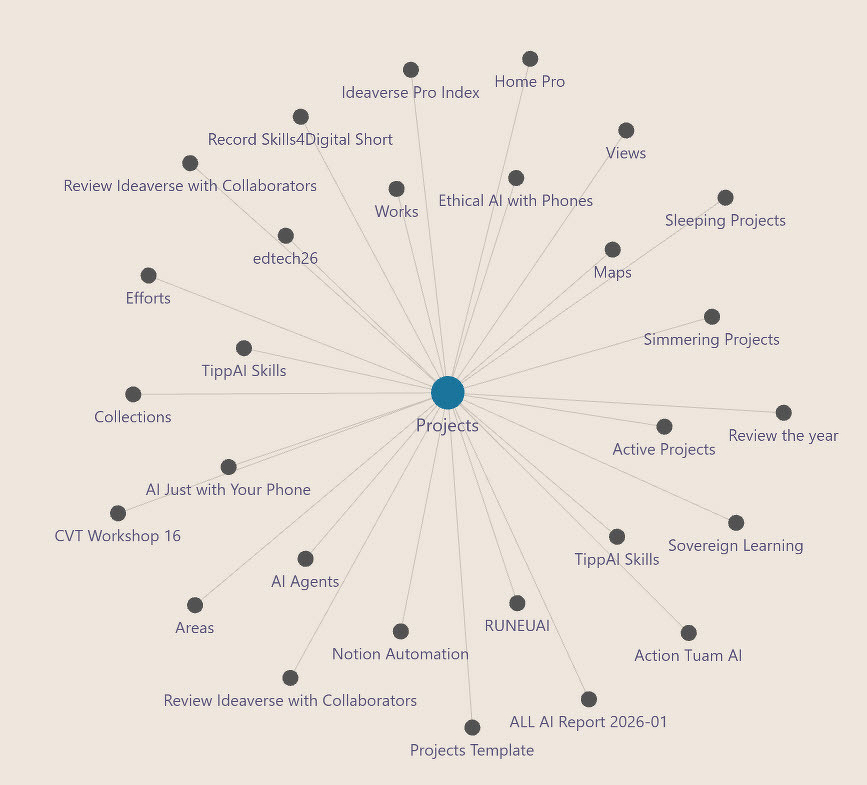
I teach university researchers how to achieve greater productivity through digitally transformed knowledge management. At the core of this effort sits the notes, lab reports, preliminary research findings, presentations, and peer-reviewed published work. To manage all these high quality nuggets of personal knowledge, I show my process from Obsidian. A the screencap above of my knowledge management, a depiction of how my current projects are part of a spider web of connected information.
I credit much of my current productivity to Obsidian and to the small team working with Stephen Ango aka Kepano. It’s easy to hear online discussions about the future of Obsidian. I reckon there are more than one million active users of this Open Source service. I think it’s a robust user base because I can find questions and comments every day on the social networks I use. In many cases, Obsisian users want to make the service more accessible.
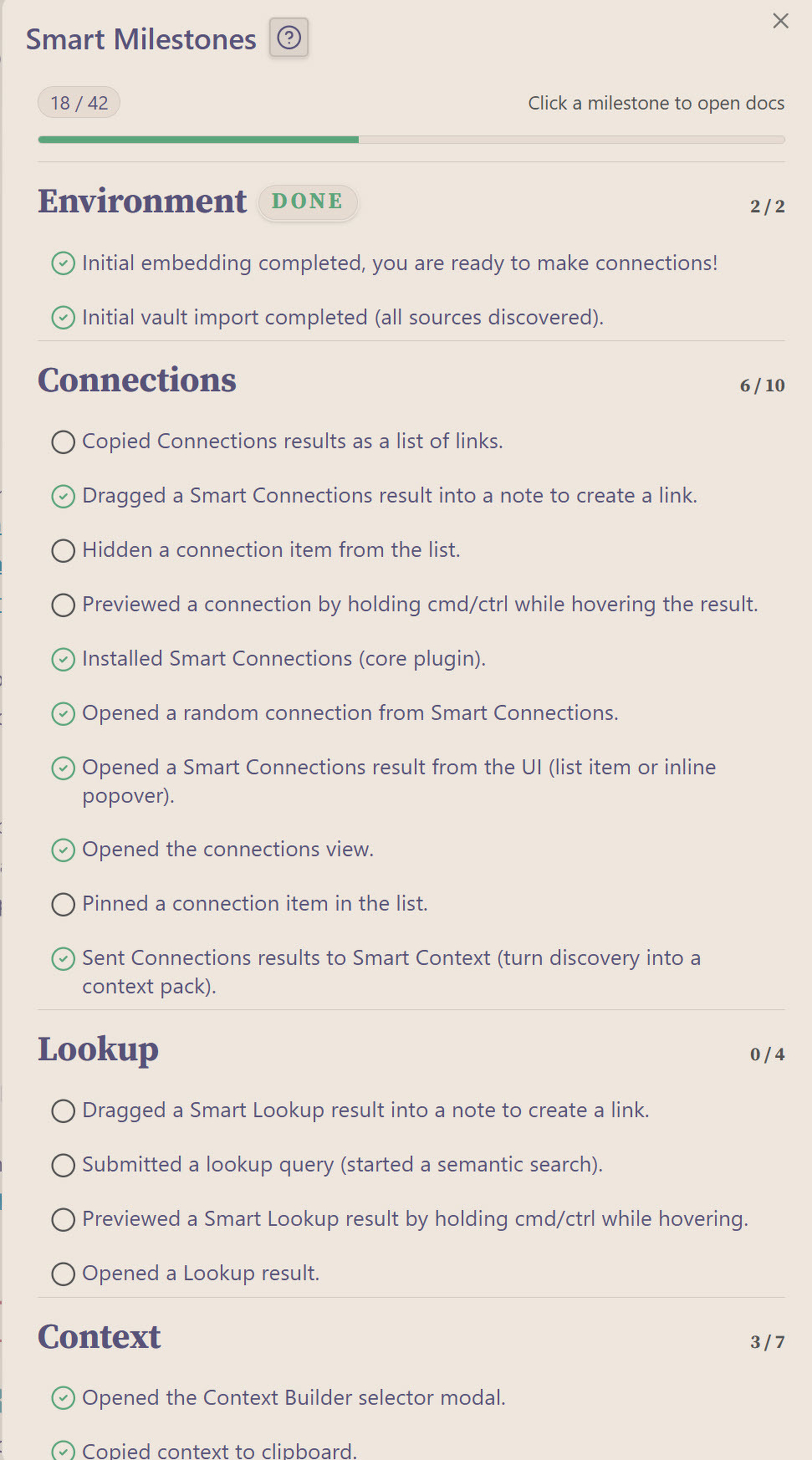
Brian Petro is one of those vocal users. He developed Smart Connections, a very clever mechanism that shows clusters of related information to me from the material I have saved. The screencap above shows how my projects are connected.
I also enjoy how Brian has gamified Smart Collections. He has encoded a ladder of learning into his app. As I accomplish each task, Smart Collections ticks off my accomplishments. Here is a selection of several dozen tasks I need to accomplish.
Environment done 2/2
✓ Initial embedding completed, you are ready to make connections!✓ Initial vault import completed (all sources discovered).
Connections 6/10
O Copied Connections results as a list of links.✓ Dragged a Smart Connections result into a note to create a link.
✓ Hidden a connection item from the list.
O Previewed a connection by holding cmd/ctrl while hovering the result.
✓ Installed Smart Connections (core plugin).
✓ Opened a random connection from Smart Connections.
✓ Opened a Smart Connections result from the UI (list item or inline popover).
✓ Opened the connections view.
O Pinned a connection item in the list.
✓ Sent Connections results to Smart Context (turn discovery into a context pack).
Lookup 0/4
O Dragged a Smart Lookup result into a note to create a link.✓ Submitted a lookup query (started a semantic search).
✓ Previewed a Smart Lookup result by holding cmd/ctrl while hovering.
O Opened a Lookup result.
I haven't incorporated the Obsidian Canvas into my daily planning sessions--yet. However, it's very effective as an entry point for new users. Obsidian Canvas will feature in an intensive desktop update for Obsidian that I will share with Frances O'Donnell.
I continue to use my Obsidian several times a day. I keep separate vaults for each of my main areas of interest. I hope to be among the daily drivers of Obsidian when it reveals the service is accommodating one billion of people daily,